Resize Photo & Signature for Govt Exam Forms Online
Resize and compress your photo & signature automatically for IBPS, SBI, SSC, UPSC, Sate Govt Exam and more. 100% Free
Add Name & Date to Photo
Required for UPSC, some State PSC exams. Adds your name and date at the bottom of the photo in standard format.
Stamp Settings
Govt Exam: Official Photo & Signature Specifications
| Exam | Photo | Photo Size | Signature | Signature Size |
|---|---|---|---|---|
| IBPS PO | 20–50 KB | 200×230 px | 10–20 KB | 140×60 px |
| IBPS Clerk | 20–50 KB | 200×230 px | 10–20 KB | 140×60 px |
| IBPS RRB | 20–50 KB | 200×230 px | 10–20 KB | 140×60 px |
| SBI PO | 20–50 KB | 200×230 px | 10–20 KB | 140×60 px |
| SBI Clerk | 20–50 KB | 200×230 px | 10–20 KB | 140×60 px |
| RBI Grade B | 20–50 KB | 200×230 px | 10–20 KB | 140×60 px |
| BPSC | 20–50 KB | 200×230 px | 10–20 KB | 140×60 px |
| Exam | Photo | Photo Size | Signature | Signature Size |
|---|---|---|---|---|
| SSC CGL | 20–50 KB | 300×300 px | 10–30 KB | 140×60 px |
| SSC CHSL | 20–50 KB | 300×300 px | 10–30 KB | 140×60 px |
| SSC MTS | 20–50 KB | 300×300 px | 10–30 KB | 140×60 px |
| SSC GD Constable | 20–50 KB | 300×300 px | 10–30 KB | 140×60 px |
| Exam | Photo | Photo Size | Signature | Signature Size |
|---|---|---|---|---|
| UPSC Civil Services | 40–300 KB | 350×350 px | 10–40 KB | 350×150 px |
| UPSC CAPF | 40–300 KB | 350×350 px | 10–40 KB | 350×150 px |
| CDS | 40–300 KB | 350×350 px | 10–40 KB | 350×150 px |
| Exam | Photo | Photo Size | Signature | Signature Size |
|---|---|---|---|---|
| UP Police | 10–50 KB | 150×200 px | 5–20 KB | 150×50 px |
| Agniveer | 10–50 KB | 150×200 px | 5–20 KB | 150×50 px |
Other Tool
Resize Photo & Signature Online
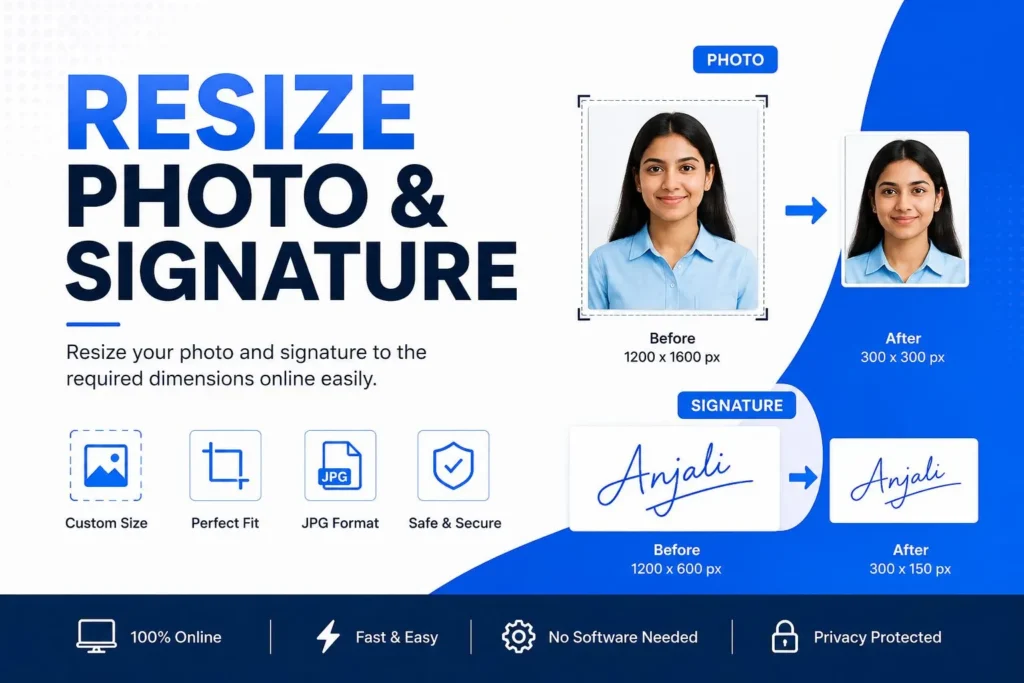
Use our Resize Photo & Signature tool to resize your photo and signature and add your name and date to your photo according to your required dimensions. You can easily resize your photo and signature online without installing any software.
How to Resize Photo & Signature?
- Upload your photo or signature to the tool.
- Select the required dimensions or enter a custom size.
- Adjust the image to fit the required specifications.
- Preview the resized image.
- Download your resized photo or signature.
Resize Photo & Signature for Government Forms
Many government examination forms require candidates to upload a photo and signature with specific dimensions, file size, and format. With this Resize Photo & Signature tool, candidates can easily change the size and submit their online forms on time.
Candidates can use this tool for all types of government jobs, scholarships, and other online forms, such as SSC, UPSC, IBPS, SBI, Railway, teaching recruitment, and state and central government jobs.
Important Tips
Before using the Resize Photo & Signature tool, check the official application notification carefully. The required photo size, signature size, image format, and maximum file size may differ from one recruitment or examination to another.
Frequently Asked Questions
Upload your photo in the Resize Photo tool, enter the required width and height in pixels, and click Resize. You can then download the resized image.
Upload your signature, enter the required dimensions, and click Resize. Once processed, download the resized signature and use it in your application form.
Yes. The tool provides separate options to resize both photos and signatures according to the required dimensions.
For exams such as IBPS PO, IBPS Clerk, and IBPS RRB, the page lists a photo size of 200 × 230 pixels and a file size of 20–50 KB.
For SSC CGL, SSC CHSL, SSC MTS, and SSC GD, the page lists a photo dimension of 300 × 300 pixels with a file size of 20–50 KB.
Yes. The Add Name & Date to Photo tool allows you to upload a photo and add your name and date at the bottom of the image.
Yes, the online tools are designed to help candidates resize their photos and signatures easily without requiring complex image-editing software.
The name-and-date photo tool accepts JPEG and PNG images. Candidates should check the specific requirements of their examination before uploading the final image.
For UPSC Civil Services, CAPF, and CDS, the page lists a photo dimension of 350 × 350 pixels, with a recommended file size of 40–300 KB.
Check the examination notification carefully for the required dimensions, file size, and image format. Resize or compress the image according to the official requirements and upload it again.
If the resized image meets the exam’s required dimensions, file size, format, and other specifications, it can generally be used for the application. Always verify the latest official notification before submission.

The Sarkari Pariksha brings you daily updates on Central & State Government job notifications, results, and admit cards — helping lakhs of aspirants across India find the right opportunity, faster.
Contact
contactus@thesarkaripariksha.com
Copyright © 2026 The Sarkari Pariksha